Table of contents
Open Table of contents
Purpose
The Purpose is
- To create my own Pentesting environment with the tools I need only.
- To have better Virtual Machine experience than Kali
I will call it PTArch (Penetration Testing Arch)
Why do I choose Arch?
- I like it
- It has one of the biggest package repositories - AUR
- Kali on VM is not that stable and usable.
Disclaimer. I do not consider it as a new Distro, it is just Arch designed for Penetration Testing and most probably only for me.
Setup
Initial Steps
First let’s make a basic Arch Installation as I did in the following Article - Setup Arch Linux as a Virtual Machine, I chose Disk Space of 20G, and with different GUI.
root@archiso ~ # lsblk
NAME   MAJ:MIN RM   SIZE RO TYPE MOUNTPOINTS
loop0    7:0    0 792.2M  1 loop /run/archiso/airootfs
sda      8:0    0    20G  0 disk
├─sda1   8:1    0   500M  0 part # EFI
├─sda2   8:2    0  17.5G  0 part # FS
└─sda3   8:3    0     2G  0 part # SWAP
sr0     11:0    1   1.1G  0 rom  /run/archiso/bootmnt
Additionally, I installed yay.
sudo pacman -S --needed base-devel git
git clone https://aur.archlinux.org/yay-bin.git
cd yay-bin
makepkg -si
GUI - Budgie
Why Budgie? Because I want to try something new.
yay -S budgie xorg xorg-xinit

# For Starting
cp /etc/X11/xinit/xinitrc ~/.xinitrc
vim ~/.xinitrc
# write following instead of last 5-6 lines of commands
export XDG_CURRENT_DESKTOP=Budgie:GNOME
exec budgie-desktop

vim ~/.xserverrc
# write following
#!/bin/sh
exec /usr/bin/Xorg -nolisten tcp "$@" vt$XDG_VTNR

# Autostart X at login
vim ~/.bash_profile
# Add Following:
if [ -z "$DISPLAY" ] && [ "$XDG_VTNR" = 1 ]; then
  exec startx
fi

# Start The DE
startx
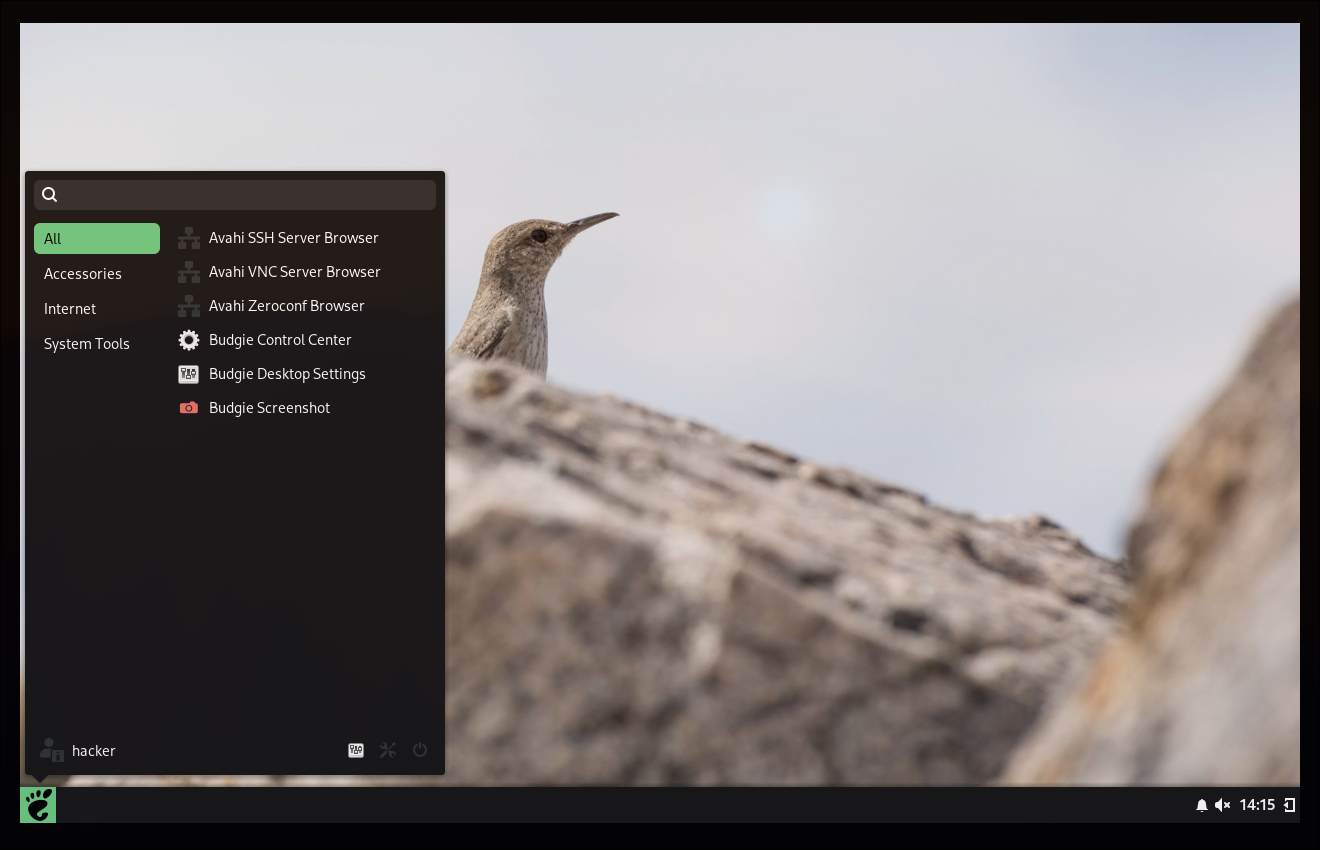
As a Result very simple but cute DE:
Packages
Some Packages for better experience
yay -S networkmanager
systemctl enable NetworkManager.service
systemctl start NetworkManager.service

# Terminal
yay -S alacritty  # terminal emulator and ctrl alt T for opening it
gsettings set org.gnome.settings-daemon.plugins.media-keys custom-keybindings "['/org/gnome/settings-daemon/plugins/media-keys/custom-keybindings/custom0/']"
gsettings set org.gnome.settings-daemon.plugins.media-keys.custom-keybinding:/org/gnome/settings-daemon/plugins/media-keys/custom-keybindings/custom0/ name 'Open Alacritty'
gsettings set org.gnome.settings-daemon.plugins.media-keys.custom-keybinding:/org/gnome/settings-daemon/plugins/media-keys/custom-keybindings/custom0/ binding '<Control><Alt>t'
gsettings set org.gnome.settings-daemon.plugins.media-keys.custom-keybinding:/org/gnome/settings-daemon/plugins/media-keys/custom-keybindings/custom0/ command 'alacritty'
# Get a theme from https://github.com/alacritty/alacritty-theme
# import should be added to this ~/.config/alacritty/alacritty.toml

# Nice Command Alternatives
yay -S btop  # nicer variant of top
yay -S bat # better cat
yay -S eza # better ls
yay -S jq # to read JSON
# add following to ~/.bashrc and to root's basrc too
PS1='\[\e[96;1m\]\u\[\e[0m\] \[\e[38;5;214;4m\]\w\[\e[0m\] \[\e[96m\]>\[\e[0m\] '
alias ls='exa --icons --color=always --group-directories-first'
alias ll='exa -alF --icons --color=always --group-directories-first'
alias la='exa -a --icons --color=always --group-directories-first'
alias l='exa -F --icons --color=always --group-directories-first'
alias l.='exa -a | egrep "^\."'
alias tree='eza --tree --icons'
alias cat="bat -p"

# Other Commands
yay -S fastfetch # For showing to others
yay -S eog # image viewer

yay -S thunar # file manager and ctrl alt E
gsettings set org.gnome.settings-daemon.plugins.media-keys custom-keybindings "['/org/gnome/settings-daemon/plugins/media-keys/custom-keybindings/custom0/', '/org/gnome/settings-daemon/plugins/media-keys/custom-keybindings/custom1/']"
gsettings set org.gnome.settings-daemon.plugins.media-keys.custom-keybinding:/org/gnome/settings-daemon/plugins/media-keys/custom-keybindings/custom1/ name 'Open Thunar'
gsettings set org.gnome.settings-daemon.plugins.media-keys.custom-keybinding:/org/gnome/settings-daemon/plugins/media-keys/custom-keybindings/custom1/ binding '<Control><Alt>e'
gsettings set org.gnome.settings-daemon.plugins.media-keys.custom-keybinding:/org/gnome/settings-daemon/plugins/media-keys/custom-keybindings/custom1/ command 'thunar'

yay -S firefox # browser and ctrl alt W
gsettings set org.gnome.settings-daemon.plugins.media-keys custom-keybindings "['/org/gnome/settings-daemon/plugins/media-keys/custom-keybindings/custom0/', '/org/gnome/settings-daemon/plugins/media-keys/custom-keybindings/custom1/', '/org/gnome/settings-daemon/plugins/media-keys/custom-keybindings/custom2/']"
gsettings set org.gnome.settings-daemon.plugins.media-keys.custom-keybinding:/org/gnome/settings-daemon/plugins/media-keys/custom-keybindings/custom2/ name 'Open Web Browser'
gsettings set org.gnome.settings-daemon.plugins.media-keys.custom-keybinding:/org/gnome/settings-daemon/plugins/media-keys/custom-keybindings/custom2/ binding '<Control><Alt>w'
gsettings set org.gnome.settings-daemon.plugins.media-keys.custom-keybinding:/org/gnome/settings-daemon/plugins/media-keys/custom-keybindings/custom2/ command 'firefox'


# Other commands for comfortable experience
yay -S freerdp netcat openvpn tmux wget unzip

# VMWare tools
git clone https://github.com/rasa/vmware-tools-patches.git
cd vmware-tools-patches
sudo ./patched-open-vm-tools.sh
Toolset for a Hacker that you are free to customize and add more.
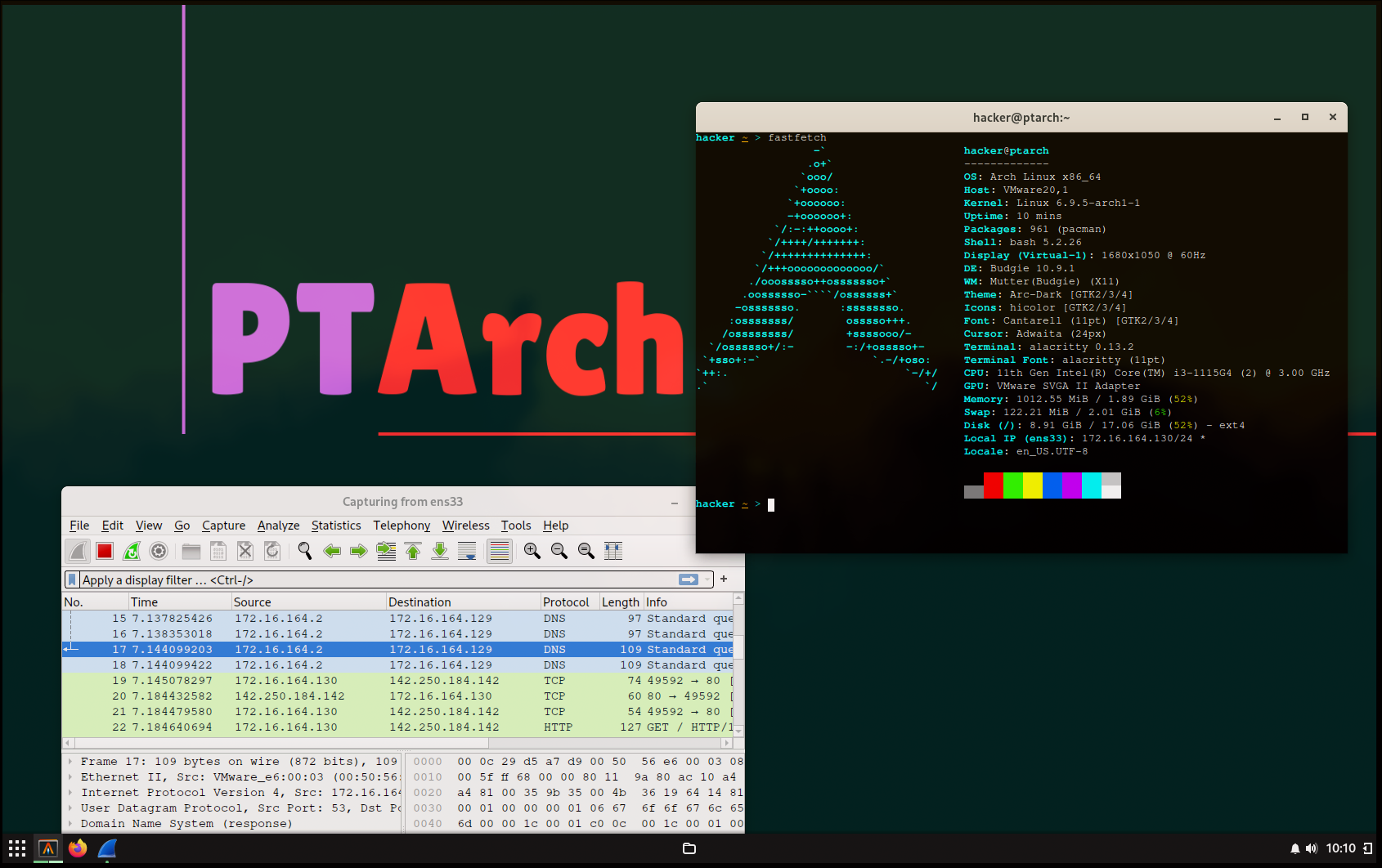
yay -S --noconfirm nmap wireshark-qt dirb gobuster nikto smbclient smbmap enum4linux metasploit postgresql sqlmap impacket john ffuf hashcat hydra steghide gdb netdiscoverFor the time, these tools are enough. Final Result is a Penetration Testing Environment that is not as great as Kali, but I liked it. For detailed usage of these tools, check out my Pentester’s Notes and Pentest Tools TLDR.
ArchISO
Let’s convert the Arch based Penetration Testing Environment to new Linux “Distro”. The tool for this is archiso. It is too complicated, I just somehow followed the wiki guide, and I do not want to include this heresy over here :P.

Size of resulting iso is 2.2G, which I consider a good result. It kind of working sample of my distro, but it is quite shitty to install.
Conclusion
My purpose was to create a new Linux Distro with the things I need for Pen Testing. However, I would accept, PTArch is not that good as other Pentesting distros. The most important is the things we learnt in the journey to achieve the Goal.
The resulting ISO: